Spotify New Music Friday EDM Playlist Link: Where to Find It
If you’re looking for the Spotify New Music Friday playlist, start with Spotify’s official playlist page: New Music Friday on Spotify. It’s a broad weekly new-release roundup—not an EDM-only playlist—so you may find electronic tracks alongside pop, hip-hop, and other genres. The exact selection can vary by region and change as Spotify updates the playlist.

For dance fans, that distinction matters. Searching for “New Music Friday EDM” can lead to a mix of official Spotify playlists, user-made collections, editorial articles, and pages that mention new releases without linking to a playlist at all. This guide explains where to find the playlist, how to use a Spotify embed, and how to keep up with EDM releases, festival announcements, and ticket timing without confusing a general music roundup for an electronic-only feed.
The New Music Friday Spotify Playlist Link
The direct link to Spotify’s general New Music Friday playlist is:
https://open.spotify.com/playlist/37i9dQZF1DX4JAvHpjipBk
Open the link in a browser or tap it on a device with the Spotify app installed. If you are logged in, Spotify may open the playlist in the app. Otherwise, you can preview it in a browser and sign in if prompted. Playlist contents and access can differ by country, account type, and licensing availability.
Keep in mind that “New Music Friday” is a Spotify playlist title, not a guarantee that every track is new that day or that the list focuses on EDM. Spotify’s editorial team curates the selection, and the playlist may include electronic releases when they fit its broader editorial mix. For a more targeted spotify edm playlist, check Spotify’s dance and electronic categories, artist profiles, and playlists from trusted dance-music publishers.
How to Find More EDM in the Playlist
There isn’t one universal Spotify playlist that captures every new electronic release. A track may appear on New Music Friday, a genre-specific playlist, an artist’s release page, or nowhere in Spotify’s editorial playlists. Use the general roundup as one discovery tool, then cross-check it with EDM-focused sources and playlists.
- Browse Spotify’s dance and electronic playlists. Search Spotify for terms such as “EDM,” “dance,” “electronic,” “house,” or a specific subgenre like melodic techno.
- Check the artist’s Spotify profile. New singles and EPs often appear under “Latest Release” even if they are not featured in an editorial playlist.
- Follow label and curator playlists. Labels and independent curators often focus on narrower scenes than a broad Friday roundup.
- Use an EDM news roundup as a release checklist. A weekly post can point you toward releases across genres, including tracks that are easy to miss in a large playlist.
For example, EDM House Network can provide context around electronic releases and scene news alongside playlist listening. A good weekly roundup should identify the artist, release, and style clearly, then link readers to a legitimate listening source. Treat editorial coverage and Spotify playlist placement as complementary: one gives you context, while the other gives you a convenient way to listen.
Use a Spotify Embed on a Blog or Event Page
If you want readers to listen without leaving your site, use a spotify embed. Spotify’s playlist page includes sharing options; choose the embed option to get code for a web player. For the New Music Friday playlist, the embed address follows this format:
https://open.spotify.com/embed/playlist/37i9dQZF1DX4JAvHpjipBk
A basic iframe can look like https://edmhousenetwork.com/digital-downtime-in-the-edm-community-online-gaming-as-part-of-the-electronic-music-lifestyle/ this:
Use Spotify’s own sharing interface to confirm the current embed code and available options. A visitor may need to open Spotify or sign in to listen to some tracks, and playback can depend on their location and account. The embed is a convenient preview, not a promise that every visitor will hear the same catalog.
On a music blog, place the player near the article’s opening explanation or alongside a clearly labeled listening section. Avoid placing it where it interrupts the headline or makes the page difficult to read on mobile. Add a short caption stating whether the playlist is general New Music Friday or a specific EDM selection. That small detail helps readers understand what they are about to hear.
New Music Friday and New EDM Friday: What’s the Difference?
“New Music Friday” commonly refers to Friday’s major release cycle and to Spotify’s editorial playlist. “New EDM Friday” is often used informally for an electronic-music-focused weekly roundup. It may be the title of a publication’s post, a playlist, or a social-media feature rather than one official Spotify destination.
When you see a page labeled “New EDM Friday,” check what it actually contains. Does it list new singles and albums? Is it a playlist with playable tracks? Does it link to Spotify, another streaming service, or the artists’ own pages? A clear post will say whether it is an editorial roundup or a listening playlist, and it will give the release date or week covered.
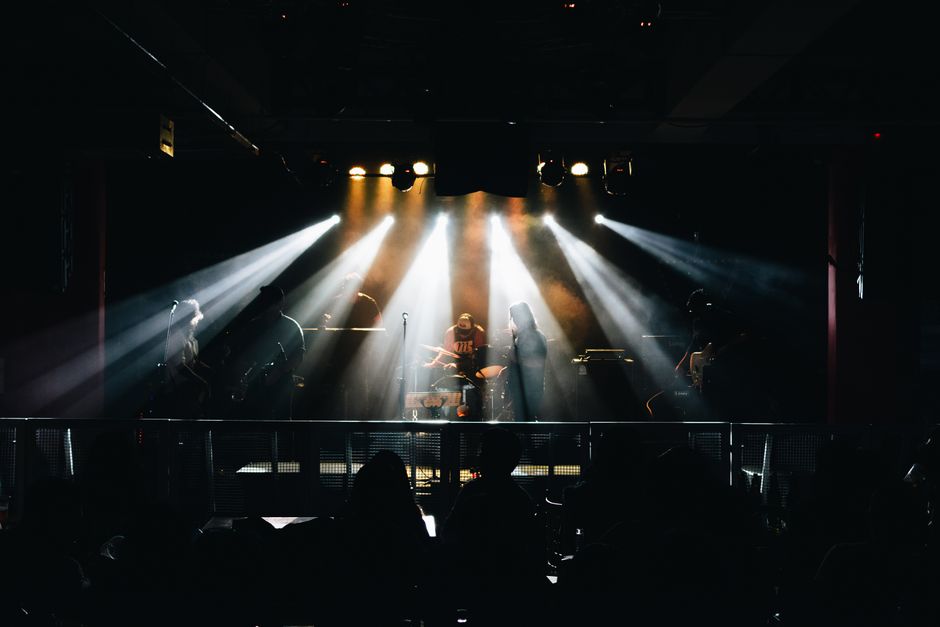
Weekly roundups are especially useful because electronic releases arrive across many subgenres and labels. A concise post can highlight a house single, a drum and bass EP, a techno release, and a festival-ready collaboration in one place. The most useful coverage is specific: artist names are spelled correctly, release formats are identified, and links lead to the intended track or album rather than to a generic homepage.
Reading EDM News Pages Without Confusing the Source
One common research mistake is assuming that scraped page content represents the article named in the URL. Sometimes the captured text looks like a homepage or feed—with navigation, several headlines, category labels, and snippets—instead of the specific article body the URL is supposed to contain.
That difference matters when you are trying to confirm a playlist link, a release date, or a lineup announcement. A homepage capture may contain useful site-wide information, but it is not proof that the target article says what a search result or page title suggests. Before quoting or summarizing a page, check that the visible headline, body text, and URL belong together.
Use this quick verification process:
- Open the target URL directly. Confirm that it loads the expected story rather than redirecting to a homepage or category feed.
- Compare the headline and article body. Look for a clear match between the title, the main text, and the topic being researched.
- Check dates and links in context. A date in a sidebar or a link in a feed may refer to another post.
- Verify important details against a primary source. For a playlist, use Spotify. For an event, check the festival or venue’s official announcement and ticket page.
Cookie notices and consent settings can also affect what a page displays. CookieDatabase (cookiedatabase.org) is a resource for information about website cookies, but it does not verify the accuracy of an article or playlist. If a page behaves differently before and after accepting cookies, record what you can confirm and seek the original source rather than treating a partial capture as the full story.
How Weekly EDM Roundups Connect to Festival Planning
New releases are only one part of following dance music. EDM news moves quickly: artists announce tours, festivals reveal lineup phases, promoters add stage hosts, and ticket tiers can change while a story is circulating. A weekly roundup is a useful entry point, but event planning calls for a separate check of the official event information.
Festival lineups are often announced in phases. An initial announcement may reveal headliners, while later phases add supporting acts, stage takeovers, or daily schedules. Don’t assume a first-phase poster is the complete lineup. Likewise, a social post announcing an artist may not specify the performance day or stage; those details can arrive later.
What you’re checking Best place to verify Why it matters New release or playlist placement Spotify, artist profile, or label page Confirms the track or playlist is available and identifies the source. Festival lineup phase Festival’s official website or verified social account Shows whether the announcement is partial or complete. Performance date and stage Official schedule or event app Helps avoid planning around an unconfirmed set time. Ticket price and sale timing Official ticketing page Shows the current tier, fees, sale window, and entry conditions.
Ticket timing can be as important as the lineup. Presales may require registration, a code, or an account, and early ticket tiers can sell out before a full schedule is published. Check the promoter’s official page for sale dates, local time zones, ticket limits, payment terms, and any age or entry requirements. If you are traveling, confirm accommodation and transport options before assuming a ticket is the only booking you need.
A Simple Routine for Friday Listening and Event Updates
To make a Friday music check more useful, separate listening from reporting and planning. This reduces the chance of mixing a playlist update with an event rumor or an old lineup post.
- Open the New Music Friday playlist. Scan the current track list and save anything you want to revisit.
- Check an EDM-specific roundup. Use a source such as EDM House Network for dance-focused releases and fast updates, then follow its links to the original listening pages.
- Make a short release list. Note the artist, title, release date, and subgenre. Keep links attached to each entry.
- Review festival news separately. Confirm lineup phases, dates, and ticket details at the event’s official source.
- Refresh before making plans. Lineups, schedules, and ticket availability can change after an article is published.
This routine works whether you are listening casually, writing a weekly post, or planning a trip around a festival. It also helps distinguish a track that is simply new from one that has been officially added to a particular Spotify playlist.
Quick Answer: Where Is the Playlist?
The Spotify New Music Friday playlist is available at this Spotify link. It is a general new-release playlist, not a dedicated EDM collection, and its contents can vary by region. For electronic releases, pair it with genre-specific Spotify searches and a weekly “New EDM Friday” roundup. If you embed the playlist, use Spotify’s sharing tools and label it clearly. When researching articles or event news, confirm that the page is the specific story you intended to open—not a homepage or feed capture—and verify lineup and ticket details with the official organizer.
