Do 360 Virtual Walkthroughs Actually Help Listings? A Freelancer’s Honest Take
I still remember the first time I saved a friend $2,400. She was a realtor looking at a physical staging quote that looked more like a mortgage payment than a marketing expense. I grabbed my laptop, pulled up a staging platform, and turned a vacant, echo-filled living room into a cozy, inviting space in under 24 hours. That weekend, I learned a hard truth: the industry is obsessed with "staging," but it’s terrified of the technical details that actually make a sale happen.
Today, we aren’t just talking about flat photos. We’re talking about the 360 virtual walkthrough. Is it just a shiny toy for listings, or does it actually move the needle? Let's break down the reality of immersive staging versus the hype.
The Cost Breakdown: Physical vs. Virtual Staging
Before we get into the "immersive" side of things, let’s talk math. Physical staging is an art, but it’s a logistics nightmare. You’re paying for furniture rental, delivery teams, and the inevitable "wear and tear" fees. Virtual staging has democratized this, but it’s important to know the market rates. I’ve spent over 200 hours testing platforms, and you generally get what you pay for.
Staging Type Estimated Cost Logistics Physical Staging $2,000 - $5,000+ High (Scheduling, labor, damages) AI/Manual Virtual Staging $32 - $48 per image Low (Upload, select, wait)
When you look at providers like BoxBrownie, you’re paying roughly $32-48 per staged image. That is a fraction of the cost of a physical staging setup. However, the catch—and it’s a big one—is the quality control. I’ve seen AI-generated shadows that defy the laws of physics and furniture that looks like it belongs in a dollhouse.
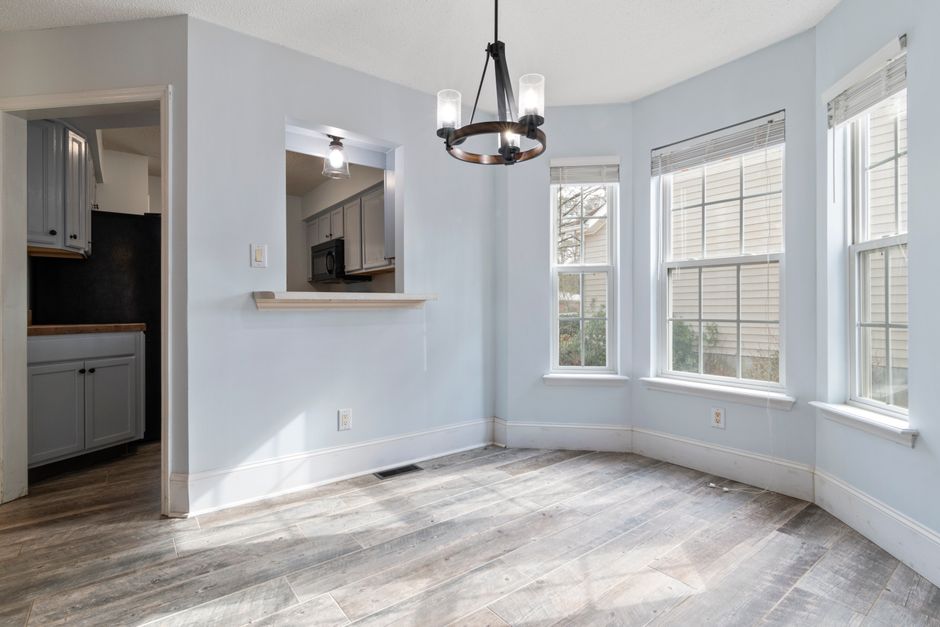
The "Room That Breaks AI" List
Before you commit to a 360 virtual walkthrough or a mass staging order, I have to ask: Did you reshoot the photo first?
Seriously, stop trying to stage garbage. If your source file is poorly lit, blurry, or captured at a distorted wide-angle, no amount of AI magic will fix it. I keep a running list of "rooms that break AI" in my notes, and if your listing features these, you need to handle them with extreme care:
- Dark, Cave-Like Basements: AI struggles to "guess" light sources in near-total darkness, resulting in flat, muddy textures.
- Narrow Kitchens: The perspective distortion usually makes a virtual kitchen island look like it’s floating in the middle of a hallway.
- Awkward Angles: If your photo was taken from a corner at an odd height, the perspective shift in a 360 tour will cause the furniture to "warp" as the user pans around.
Photo Realism: The Death of the "Floating Sofa"
The biggest annoyance in this business? Fake-looking shadows and wrong furniture scale. Here's a story that illustrates this perfectly: learned this lesson the hard way.. When a potential buyer is clicking through an immersive 360 virtual walkthrough, they are looking for a sense of *scale*. If your virtual sofa is massive and leaves only 6 inches of clearance to walk past, you aren’t "selling the lifestyle"—you’re making the room feel Click for source claustrophobic.

Realism comes down to lighting temperature and depth perception. A good virtual stager (or the right platform) will match the ambient light in your photo to the furniture. If your windows are letting in cool morning light, you cannot drop a warm, yellow-lit lamp into the frame. The human eye detects that disconnect in 30 seconds, and your credibility as a listing agent drops with it.
Turnaround Times and the Weekend Deadline
Real estate moves at the speed of light. I’ve built my freelance career on hitting 24-hour and 48-hour turnaround windows. If you’re waiting a week to get your staged photos back, you’ve already lost the prime engagement window for your MLS listing.
When evaluating a 360 virtual tour provider, ask them these three questions:
- What is the hard turnaround time for a 360 project?
- How many revisions are included in the base price?
- Do you manually audit the shadows, or is it purely automated?
Disclosure Rules: Don't Get Sued
I see it all the time: a gorgeous staged photo with no watermark or disclaimer. This is a massive compliance risk. MLS rules and local real estate boards are increasingly strict about "misleading" representations of property. If you are staging an image, you must disclose it.. Pretty simple.
Always include a small, professional text overlay or a caption on your listing that says: "Virtually staged for illustrative purposes." Ignoring this doesn't just annoy buyers; it invites regulatory scrutiny that could cost you your license. Don't hide the staging; celebrate the vision, but stay within the lines.
Final Verdict: Do they help?
Want to know something interesting? do 360 virtual walkthroughs help listings? yes, absolutely. They increase time-on-site, which is a major signal for search engine rankings on sites like Zillow and Realtor.com. They allow buyers in different cities to "walk" the property, effectively widening your buyer pool.
However, they only help if you respect the process:
- Reshoot the bad photos first. If the lighting is terrible, don't stage it. Fix the lighting.
- Audit the scale. If the furniture looks like it's from a Minecraft mod, trash it.
- Be honest. Use your disclosure statements.
Staging is a tool, not a band-aid. If you use it to highlight the potential of a home rather than hide the flaws of a poor photograph, you’ll see the results in your offer count. Now, go check your listing photos—are you sure that room won't break the AI?
